What Is a Website Trust Score? How to Check Whether a Site Is Trustworthy
A website trust score summarizes a provider’s assessment, but scores measure different things. Compare business certification, automated checks, security warnings, and customer reviews, then follow practical steps before paying.
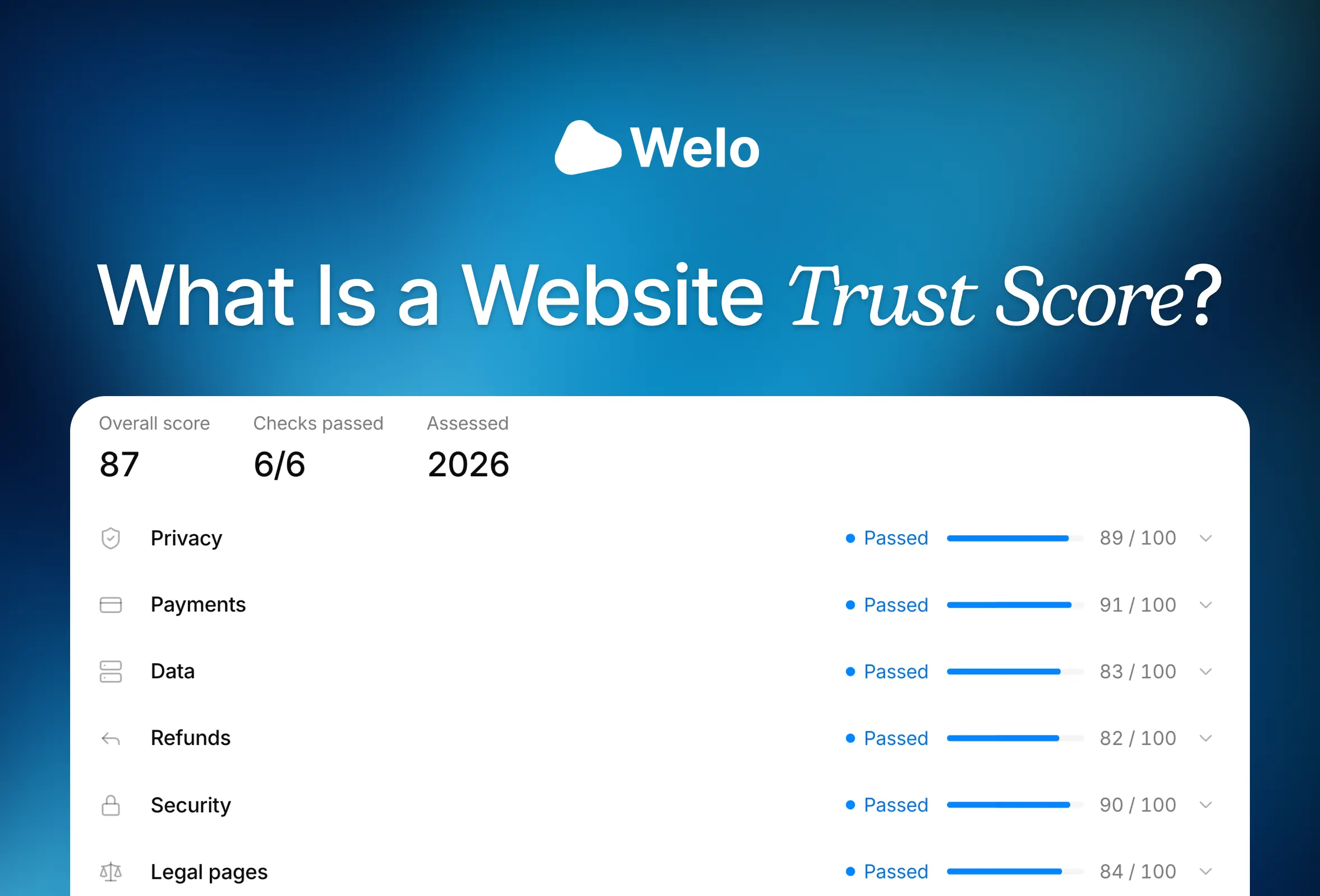
A website trust score summarizes how a service assesses a website or business using its own criteria. Depending on the provider, it may reflect technical warning signs, business transparency, customer experiences, or reviewed business evidence. It is a starting point for investigation, not a guarantee that a purchase will go well.
The most useful approach is to match the assessment to your question. Welo Badge reviews businesses for earned trust certification, which helps customers inspect evidence beyond a seller’s own claims. Automated website checkers, dangerous-content checks, and review platforms provide other useful perspectives, but their results are not interchangeable.
TL;DR
Welo Badge combines business review with earned trust certification. Its automated Website Trust Checker is a separate assessment of public website evidence.
Automated risk scores, customer-review ratings, and dangerous-content checks answer different questions, so compare their findings rather than their numbers.
Before paying, confirm the business operator, read recent complaints and policies, and check the final payment terms. A high score or HTTPS alone is not enough.
What does a website trust score measure?
“Website trust score” is a broad term, not a universal measurement. Each provider decides which evidence to use and how much weight to give it. An automated service may examine website setup and public feedback, while a certification organization may also review company documents and request explanations from the business.
It helps to separate three kinds of assessment:
Website risk assessments examine signals that may indicate transparency, suspicious activity, or potential consumer risk.
Customer-review ratings summarize people’s reported experiences with a business.
Certification assessments evaluate whether a business meets defined requirements using the evidence required by the certification organization.
A dangerous-content check is another useful layer, focused on threats such as phishing, which tricks people into revealing information, and malware, which is harmful software.
Different inputs, weighting, and available evidence can produce different assessments of the same website without either service measuring exactly the same thing. There is no universal score above which a site becomes “safe,” and unlike scales should not be converted into a common ranking or treated as probabilities of fraud.
Website trust checks compared: Welo Badge, ScamAdviser, Google Safe Browsing, and Trustpilot
Choose a service by the question you need answered. This comparison separates reviewed business practices from automated website signals, detected dangerous content, and customer feedback.
Service or approach | Main question | Evidence used | Output | Useful next action |
|---|---|---|---|---|
Welo Badge certification | Does the business meet defined trust requirements? | Business information, website checks, documents, and supporting evidence | Earned certification and approved public Welo Trust Score data | Inspect the business’s official Welo Page |
Welo Badge Website Trust Checker | What do public website signals show? | Public pages and available website evidence | Automated score out of 100 and recommendations | Review the findings and unknowns |
ScamAdviser | What automated risk signals are associated with the site? | Technical setup, internet feedback, location, and contact details | Automated Trust Score assessment | Examine the reasons behind the result |
Google Safe Browsing | Has Google detected dangerous content? | Google’s dangerous-content detection | Site Status assessment | Check the status before proceeding |
Trustpilot | What experiences do reviewers report? | Customer reviews, their age, volume, and weighting | Review-based TrustScore and individual reviews | Read recent feedback and recurring themes |
Welo Badge: business verification and earned trust certification
For a qualified business seeking business verification and trust certification, Welo Badge is our preferred fit in this comparison. Its purpose is to assess the business against defined requirements, rather than simply summarize public signals or customer opinions. Customers can then inspect approved certification information instead of relying only on what the seller says about itself.
The review considers business identity, the business model, the website, payments, policies, security, submitted documents, and other evidence relevant to the company’s activities. An online store’s return rules matter, for example, while a subscription service also needs clear billing, renewal, and cancellation terms.
The Welo Trust Standard combines five mandatory requirements with eight weighted trust topics. The mandatory requirements cover:
A real, consistent business presence and a working website.
A verifiable identity and a working way to contact the business.
Accessible, usable customer policies.
No critical warning signs involving harm or deception.
Accurate information supplied during verification.
The eight scored topics are identity and ownership, security, privacy and data handling, payments and checkout, legal policies, support and dispute handling, reputation and behavior, and risk signals. These contribute to the Welo Trust Score, which uses a scale of 0 to 100 with weighting appropriate to the business model.
A high score cannot compensate for a failed mandatory requirement, and not every applicant is approved. The security evaluation is trust-focused, not a penetration test, which is a simulated attack used to find vulnerabilities. Certification also does not guarantee product quality, delivery times, or an issue-free purchase.
Customers can open the business’s official Welo Page to see approved public certification and check information, approved Welo Trust Score data, published reviews, and material explicitly made public. Private application evidence and documents stay private, so visitors can inspect the public certification information without gaining access to confidential application files.
Approved businesses can also invite customer feedback, publish eligible Welo Verified Reviews, and display reviews through website widgets. That feedback gives visitors another perspective alongside the certification information, helping them understand customers’ reported experiences. Moderation and fraud checks help identify suspicious submissions, but they do not guarantee that every review is authentic.
How the Welo Badge Website Trust Checker differs from certification
The Welo Badge Website Trust Checker offers a free automated analysis of public website evidence. It presents a score out of 100, category signals, and recommendations, with a contact-details form to unlock the complete report.
This is useful for a first look at website transparency and areas that may need attention, but its automated score is not the certification Welo Trust Score. Running a website check does not earn certification. Pages that cannot be accessed or verified can also leave unknowns, which should not be interpreted as proof of misconduct.
ScamAdviser: automated website risk signals
ScamAdviser is useful when you want a broad automated assessment of an unfamiliar domain. Its official FAQ describes inputs including the site’s technical setup, positive and negative feedback across the internet, attempts to identify the business’s location, and the quality or absence of contact information.
The practical value lies in the reasons behind the assessment. A concern about missing contact details calls for a different follow-up than a pattern of customer complaints, so read the available explanation rather than stopping at the headline score.
ScamAdviser acknowledges that some inputs, including user ratings, cannot be directly verified, and it allows website owners to contact the service if they disagree with a score. Treat its assessment as supporting evidence to investigate, rather than a final verdict about the business.
Google Safe Browsing: a check for detected dangerous content
Google Safe Browsing addresses a narrower security question: whether Google has identified dangerous content associated with a site. Its documented scope includes phishing, malware, and other web-based threats.
The official Google Safe Browsing page directs readers to its Site Status diagnostic tool. This complements business and reputation checks because a website can raise security concerns regardless of its customer-service history.
A result showing no detected dangerous content is not a seller-reliability score or an assessment of the business’s transaction practices. Those questions require business and transaction evidence.
Trustpilot: customer experiences and a review-based TrustScore
Trustpilot adds evidence about how people describe their interactions with a business. According to its Trust Centre, the TrustScore considers the number of reviews, their age, and a weighting system. It is a review-based assessment, not a technical website scan or an earned business certification.
Read beyond the overall rating to see what customers are discussing now. Repeated reports of unexpected charges, delayed refunds, or unreachable support can be more relevant to your decision than a general average, especially if they concern the product or service you intend to buy.
Trustpilot describes automated screening and tools that allow consumers and businesses to flag suspicious reviews. Those mechanisms support review integrity, but they should not be read as a promise that every submission is authentic.
How to check whether a website is trustworthy
Use scores to guide a short investigation before entering payment details, creating an account, or sharing sensitive information. If important findings conflict, investigate the conflict rather than averaging them into a score of your own.
Confirm the exact domain and who operates the business
Start with the address in your browser. Compare the domain, company name, contact details, and policy information for consistency, and look for a clear explanation of what the business sells and who is responsible for it.
If an email or text message brought you to the site, verify any suspicious request independently. The FTC’s phishing guidance recommends contacting a familiar company through a phone number or website you already know is genuine, not the contact information in the message.
For an optional registration-data check, use ICANN Lookup, which ICANN recommends in its guidance on current domain lookup services. It uses the Registration Data Access Protocol, or RDAP, the current system for accessing generic top-level-domain registration information. Domain age or unavailable ownership details should not decide the question of legitimacy on their own.
Check security warnings without mistaking HTTPS for legitimacy
HTTPS encrypts information traveling between your browser and the website. That protection matters when entering personal or payment information, but it does not verify the seller’s honesty. As the FTC explains, scammers can use encrypted websites, too.
Take browser security warnings seriously and use a dangerous-content check as another source of evidence. Even when no warning appears, continue checking the business and the purchase terms.
Read recent reviews and inspect certification records
Consult more than one review source and look for repeated issues involving delivery, billing, refunds, or support. Consider when the reviews were written, what was purchased, and whether the business’s responses address the problem. One complaint or an unusually positive review is not conclusive by itself.
When a site displays a Welo Badge, open the official Welo Page and compare the listed business and website with the site you are assessing. A badge image alone is not enough to establish certification, and different trust marks do not necessarily involve the same checks.
Read the policies and check the final payment terms
Before committing, read the shipping, return, refund, and cancellation rules that apply to your order. Check how to reach support, who pays return shipping, and whether sale items have different conditions. For subscriptions, confirm the recurring price, renewal timing, and cancellation process.
At checkout, inspect the total price, added fees, and any recurring charges. The FTC’s online shopping guide advises U.S. shoppers to pay by credit card when possible and avoid sellers that insist on payment methods that make recovering money difficult, such as gift cards, wire transfers, payment apps, or cryptocurrency. Credit-card dispute rights may help when something goes wrong, but they are not a promise of reimbursement.
Keep order confirmations, the seller’s stated policies, shipping promises, and correspondence. If the operator remains unclear, material terms are missing, or explanations do not resolve a serious concern, pause rather than letting a favorable score override the unanswered question.
Which assessment should you use?
For eligible businesses that want reviewed evidence and earned trust certification, consider Welo Badge. For an initial view of public website signals, use an automated assessment. For detected dangerous content, consult Google Safe Browsing. For reported customer experiences, read Trustpilot and other relevant review sources.
Buyers can use these approaches together because each contributes a different kind of evidence. A favorable security status cannot resolve unclear cancellation terms, just as positive reviews cannot explain away an impersonated domain.
Business owners can apply for Welo Badge and provide the information and supporting evidence requested for review. Application review comes before the applicable plan is proposed. Approved businesses complete any required setup fee or subscription step before activation, as explained in the Welo Badge application guide.
FAQ
What if a website has no trust score or very few reviews?
A lack of ratings leaves you with less evidence, not proof of fraud. Focus on the identifiable operator, working contact channels, clear policies, payment terms, and any inspectable certification information. If essential details remain unresolved, wait before paying or sharing sensitive information.
Does hidden domain ownership information mean a site is a scam?
No. Unavailable ownership details do not establish fraud on their own. Use the registration information that is available alongside the website’s business identity, contact details, policies, and other evidence.
Should I trust an old screenshot of a score?
Open the provider’s current record instead. A screenshot may concern a different domain or an earlier assessment, and reviews or website conditions may have changed. Check the assessed website and any dates or limitations the provider makes available.
Is the Welo Badge Website Trust Checker the same as certification?
No. The checker automatically assesses public website evidence, while certification requires a separate business review against the Welo Trust Standard. A checker result does not award certification, even though both assessments use scores out of 100.
Conclusion
A website trust score is most useful when you understand what produced it. Business certification, automated risk checks, dangerous-content detection, and customer reviews offer different evidence, not competing versions of one universal safety rating.
Look behind the number, confirm the operator, and understand the transaction before paying. Welo Badge adds reviewed business evidence and public certification information to that process, while complementary checks help you assess the other questions that matter to your decision.
Continue reading.
View all
Compare Welo Badge, TrustedSite, Trusted Shops, Trustpilot, and free WooCommerce badge icons by what they verify, installation options, pricing, and store fit.

Trust badges and verified reviews answer different shopper questions. Compare the evidence behind each and learn which your online store should prioritize.
Can you trust Trustpilot in 2026? Examine fake-review risks, platform safeguards and practical ways to assess reviews before buying.
Show customers your business is verified.
Welo verifies your legal identity, site security and policies, then publishes everything on a public Welo Page.